After finishing a task, I sometimes still feel uncertain.
Have I included all the necessary information?
Are the numbers and deadlines correct?
Will the reader understand what needs to happen next?
When I review the same document several times, I become too familiar with it.
That makes it harder to notice what is missing.
I am a Japanese professional in my 50s.
Through many years of work, I have learned that creating a document and checking a completed document are two different tasks.
I do not ask AI to guarantee that my work is correct.
I use it to help me find points that may need another review before submission.
I make the final decision.
AI helps identify possible gaps.
Keeping those roles separate makes AI more useful as a final checking tool.
- Your Own Writing Is Easy to Misread
- Tell AI Who Will Read the Document
- Check the Document in Three Areas
- Do Not Let AI Correct Facts by Guessing
- Do Not Let AI Make the Writing Too Formal
- Check Whether the Reader Knows What to Do Next
- Do Not Enter Confidential Information
- Start With an Older Document
- Keep Responsibility for Submission
Your Own Writing Is Easy to Misread
When I review a document I created myself, I already understand the background.
Because of that, I may unconsciously add information that is not actually written.
The meaning is clear to me.
But it may not be clear to someone reading it for the first time.
This difference can create misunderstandings at work.
For example, a report may say:
We will take action after confirmation.
But several questions remain.
Who will confirm it?
When will the confirmation happen?
What action will happen afterward?
If those details are missing, the reader may not know what to do.
AI can help me review the document from a different perspective and identify explanations that may still be incomplete.
If you are still preparing the document, you can first turn your rough notes into a clear work report with AI.
Tell AI Who Will Read the Document
If I give AI a document and simply ask:
Please check whether there are any problems.
the response may be too general.
I first explain who will read the document and what the document is supposed to achieve.
For example:
This is a work report for my manager. Please check whether my manager can understand the current situation and decide what should happen next.
For a customer-facing document, I may ask:
This explanation will be sent to a customer. Please check whether the customer can understand the situation and the next steps without misunderstanding anything.
The same document may require different checks depending on its audience and purpose.
AI does not need the full history of the situation.
It needs to know who will read the document and what that person needs to understand or decide.
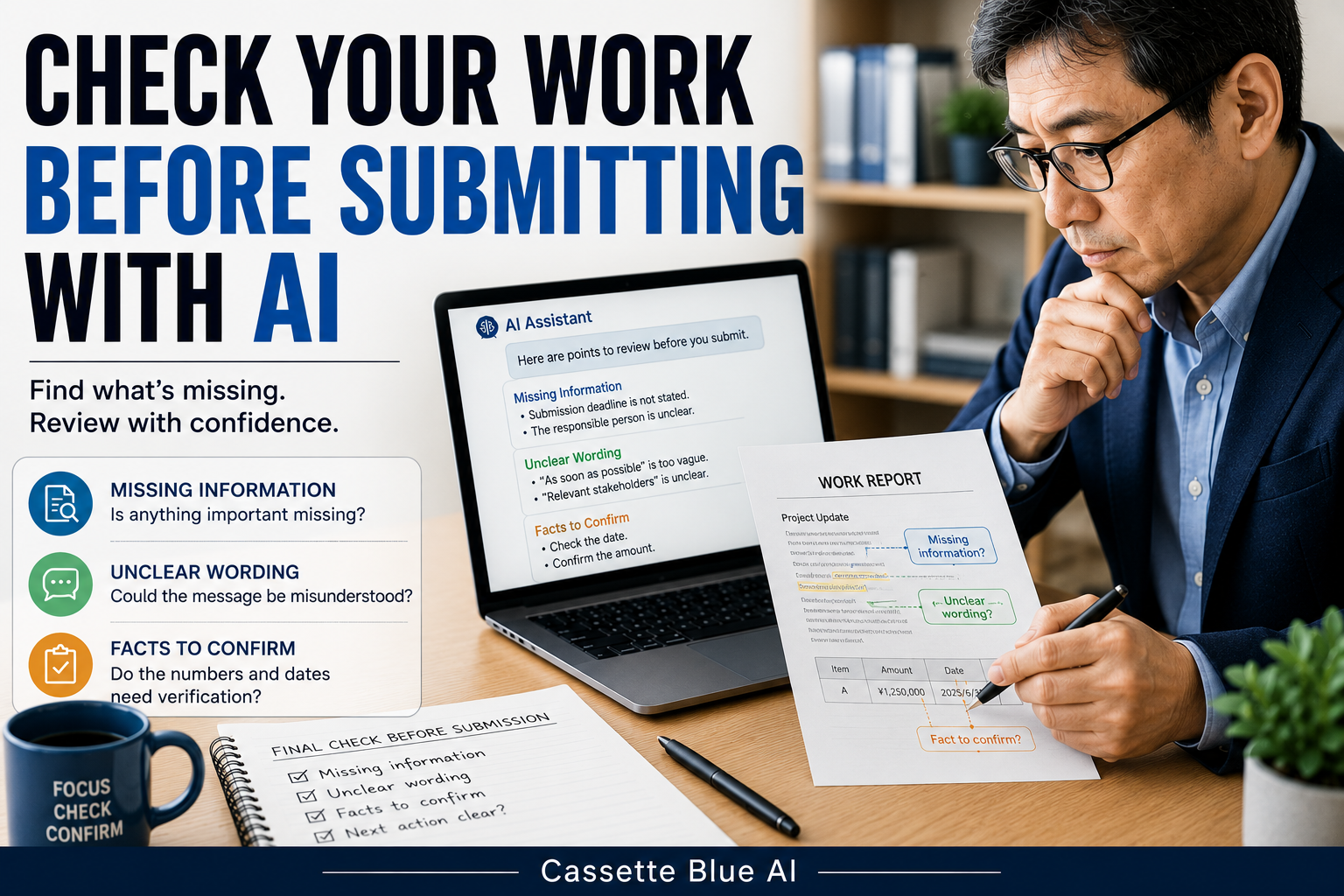
Check the Document in Three Areas
I divide my final review into three areas:
- Missing information
- Unclear wording
- Facts that require confirmation
I may use this prompt:
Please review this document before submission. Divide your comments into three sections: missing information, unclear wording, and facts that require confirmation. Do not guess or add information that is not included in the document.
This produces a more useful checklist than asking AI to rewrite everything.
For example, AI may identify:
Missing information:
- The submission deadline is not included
- The person responsible for the next action is unclear
Unclear wording:
- “As soon as possible” does not include a specific deadline
- The meaning of “relevant people” is unclear
Facts that require confirmation:
- Check whether the date is correct
- Confirm whether the amount is the latest figure
I am not asking AI to create the correct answer.
I am asking it to create a list of points that I need to verify.
Do Not Let AI Correct Facts by Guessing
AI may try to complete missing information based on the surrounding text.
But a number that looks reasonable is not the same as a correct number.
Deadlines.
Prices.
Quantities.
Responsible people.
Contract conditions.
These details should not be decided by AI.
I add another instruction:
Identify any numbers, dates, names, responsibilities, or conditions that may require confirmation. Do not guess the correct information or rewrite them.
AI can tell me:
This date should be confirmed.
I then return to the original source and check the actual date myself.
AI identifies where verification may be needed.
A human confirms the fact.
Do Not Let AI Make the Writing Too Formal
When AI reviews a document, it may rewrite it in a longer and more formal style.
Professional writing should be respectful.
But excessive formality can make the main point harder to see.
Before asking for a rewrite, I ask AI to identify the problems only.
Do not rewrite the entire document. Show only the sections that may need revision.
I then decide which parts should be changed.
A polished AI-generated document is not always better.
I prefer wording that I understand, can explain, and am willing to take responsibility for.
Check Whether the Reader Knows What to Do Next
A work document may explain the situation clearly but still fail to move the work forward.
The reader may need to take action.
Approve something.
Provide an answer.
Confirm a date.
Send additional information.
If the next action is not clear, the work may stop.
I ask AI:
Is it clear what the reader needs to do next? If not, identify what information is missing.
I then check whether the document clearly explains:
Who needs to act?
What needs to be done?
When does it need to happen?
A useful work document should not only be easy to read.
It should also help the next action happen.
Do Not Enter Confidential Information
A document that is ready for submission may contain customer names, prices, contract conditions, or internal company information.
Do not enter confidential information directly into a public AI tool.
Replace a company name with Company A.
Replace a personal name with Manager or Team Member.
Remove exact prices and contract details when they are not necessary.
Use only an AI environment approved by your employer when required.
If your workplace has rules about AI use, follow those rules first.
Using AI for review does not remove your responsibility for protecting information.
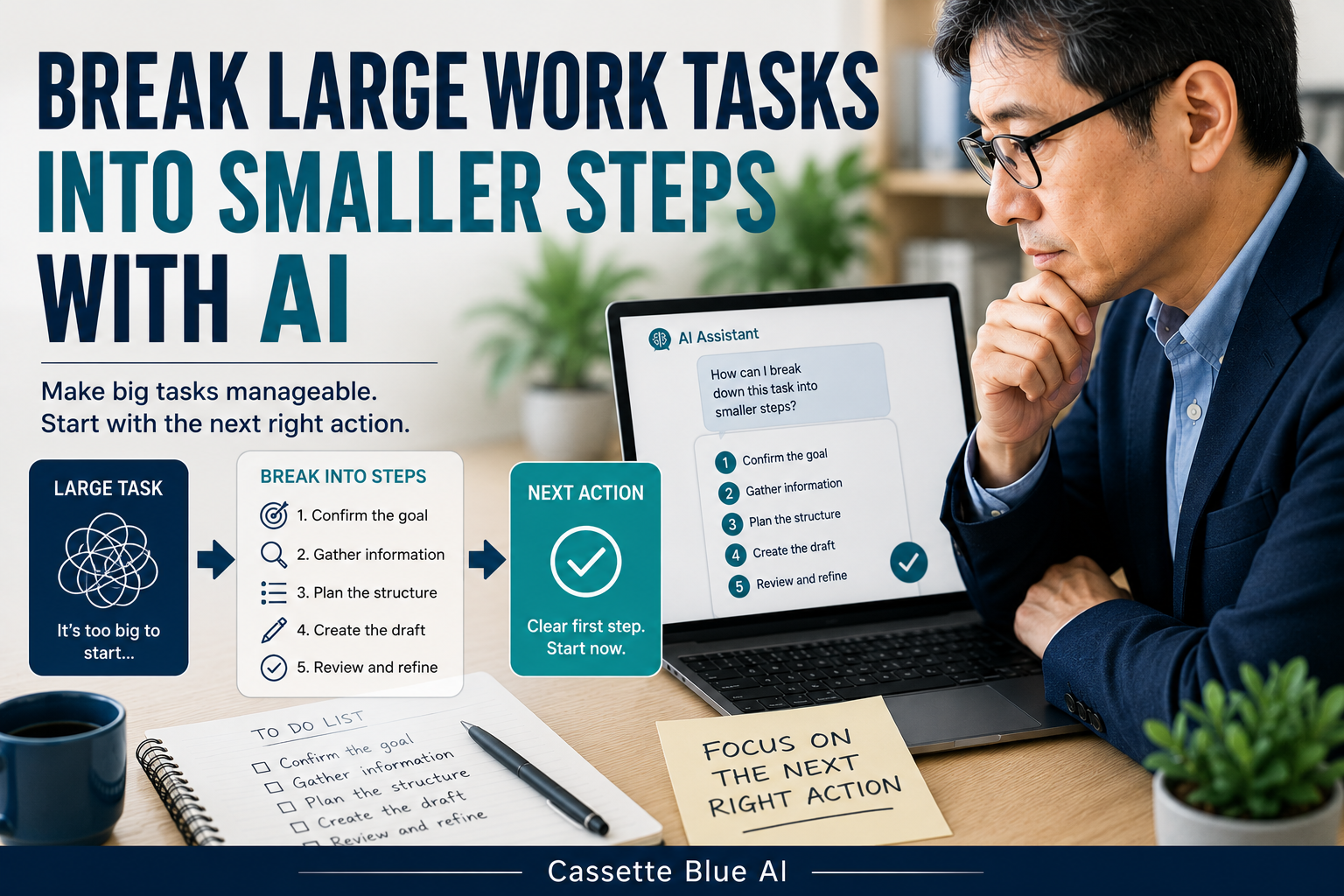
Before reaching the final review stage, you may need to break a large work task into smaller steps with AI.
Start With an Older Document
You do not need to begin with an important document that you are about to submit.
Choose an older work report or email that you wrote in the past.
Remove personal and confidential information.
Then ask AI:
This is a work report for my manager. Please check whether my manager can understand the current situation and decide what should happen next. Divide your comments into missing information, unclear wording, and facts that require confirmation. Do not guess missing information, and do not rewrite the entire document.
Compare the response with the document you actually submitted.
Did AI identify something you missed?
Were many of its comments unnecessary?
Did it help you see the document from the reader’s perspective?
You do not need to use every suggestion.
The comparison itself will show you whether this method is useful for your work.
Keep Responsibility for Submission
AI can identify missing explanations and unclear wording.
It can also show where a number or deadline may need to be checked.
But it cannot make the final decision about whether the work is correct.
Company circumstances.
Previous decisions.
The relationship with the reader.
Official figures and conditions.
Those details are understood by the person responsible for the work.
I do not think of AI as approving my document.
I use it to add one more perspective before I submit it.
If you prefer a structured way to build practical AI skills, explore AI courses for experienced professionals.
Do not ask AI to guarantee that your work is correct.
Use AI to find what may need another check.
Responsibility for submission remains with you.

コメント